Building a Scalable Content Navigation Framework
At McAfee, I redesigned the documentation experience after analytics revealed that users were entering through the homepage but leaving without exploring deeper into the site. The existing experience relied heavily on search, making it difficult for customers to discover valuable content unless they knew exactly what to look for.
I introduced a scalable information architecture centered on curated content and intuitive navigation pathways, transforming the portal into a more discoverable experience that increased engagement, click-through to high-value content, and customer ratings of site navigation.
Starting Point: Out-of-the-Box Design
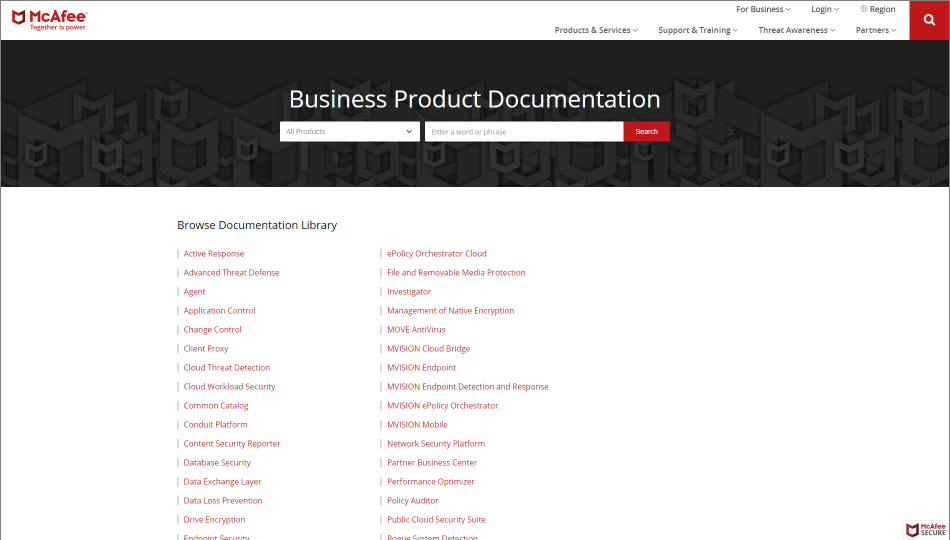
To meet an aggressive launch timeline, our documentation portal launched with the vendor's default, search-first experience. In this initial phase, we had essentially migrated sets of PDF documents to HTML.
Without usability testing or search optimization, I anticipated discoverability challenges—and analytics confirmed them: users reached the homepage but rarely explored deeper content.
Instead of taking on a large search optimization initiative, I improved findability by introducing navigation pathways that surfaced high-value content and guided users to the resources they needed.
SEARCH-FIRST MODEL
Data-driven design
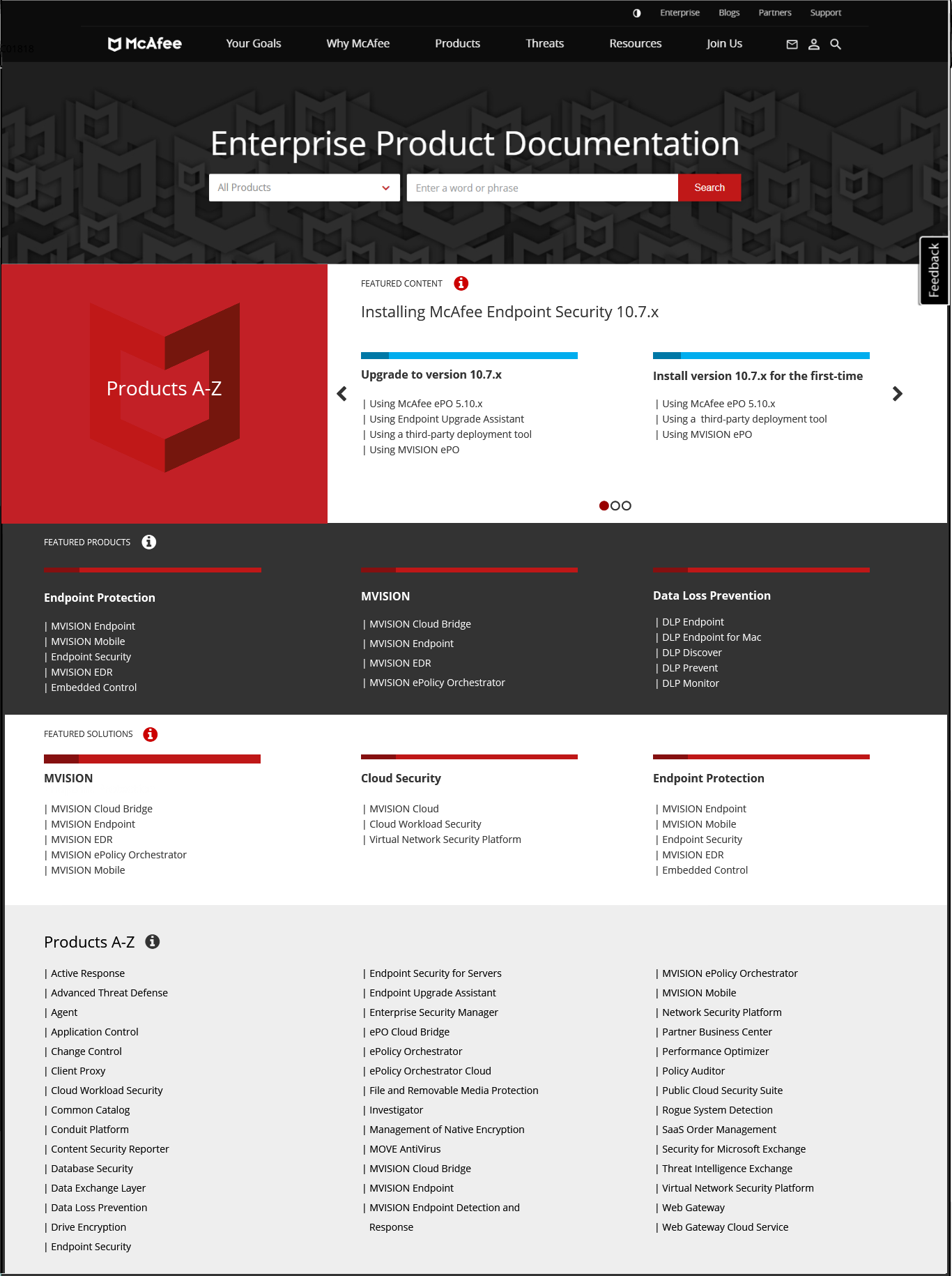
I analyzed usage data and found that five products accounted for nearly 70% of all site traffic. Based on these insights, I redesigned the homepage and introduced product pages to create multiple pathways to high-value content.
The redesigned homepage introduced several levels of content curation:
Featured Content carousel: Highlighted important resources from the top five products.
Featured Products and Featured Solutions: Supported strategic business priorities while helping users discover relevant content.
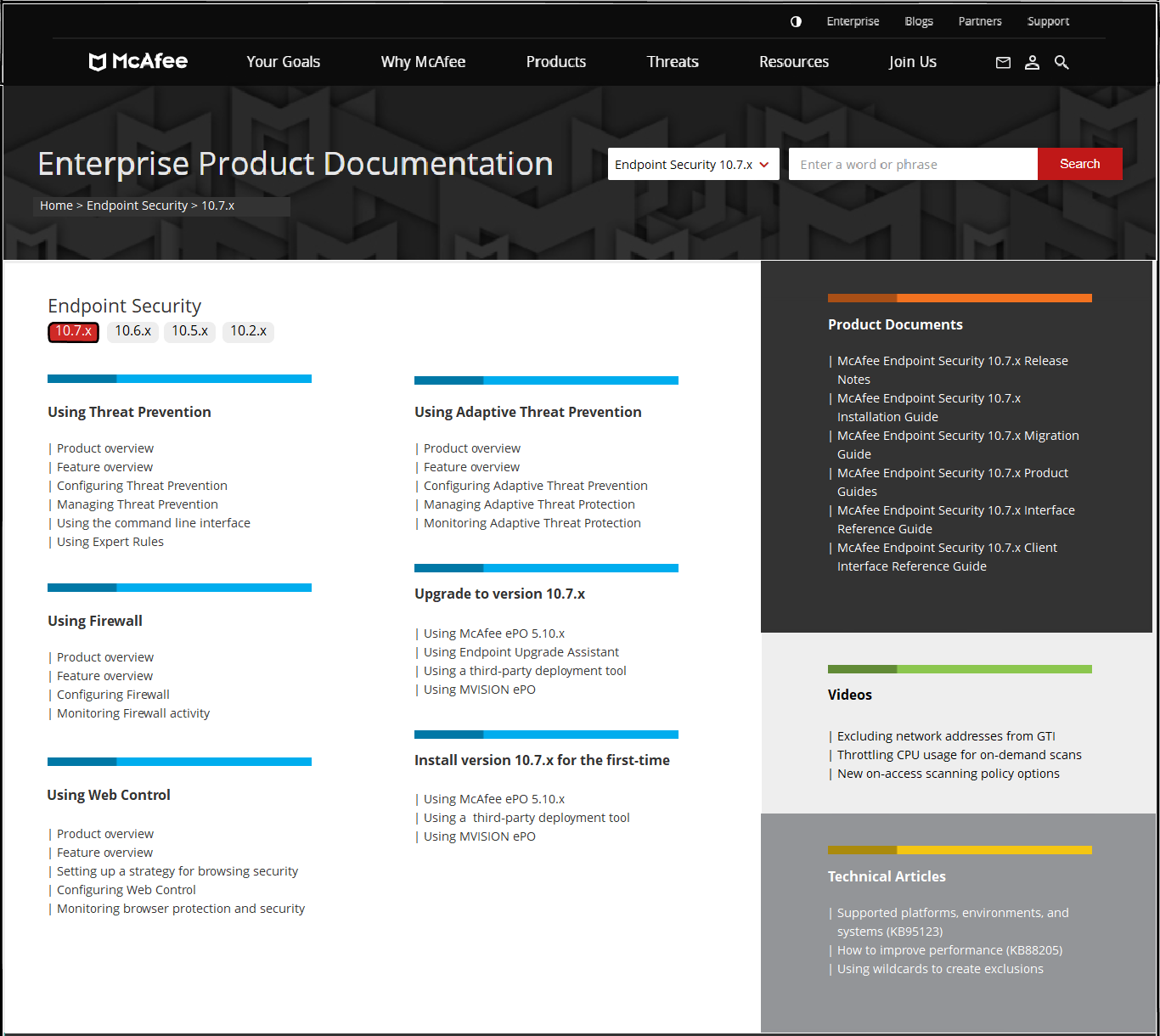
To further improve discoverability, I designed product pages that unified content from multiple repositories (including product documentation, the support portal, and YouTube) into a single customer-focused experience.
Product Content: Direct links to high-demand and critical resources.
Product Documents: Quick access to product-specific documentation.
Videos: Links to feature overviews, tutorials, and usage guidance.
Technical Articles: Access to compatibility information, known issues, and other support resources.
This transformed the experience from a search-dependent model into a guided discovery experience, giving customers multiple ways to find the information they needed.
TOP CONTENT, PRODUCTS, & SOLUTIONS FEATURED ON HOMEPAGE
CURATED AND CENTRALIZED PRODUCT CONTENT
Results
The redesign transformed the documentation portal from a search-first experience into a guided discovery experience. Customers were able to find critical resources faster, explore more deeply into product content, and navigate the portal with greater confidence.
The impact was measured through a focused rollout of Endpoint Security, one of the portal’s highest-traffic products and a separate optimization effort; see Rebooting Product Adoption Through Content Design use case. Three months after launch:
Product click-through rates increased 34%.
Engagement with product content increased 22%.
Customer ratings of site navigation improved 73%.
Because Endpoint Security represented a significant portion of portal traffic, these results validated the effectiveness of the new information architecture approach. The same framework was designed to scale across the other top five products that accounted for nearly 70% of site traffic, creating a repeatable model for improving discoverability across the broader documentation ecosystem.